AI Voice Inspections.Speak It. Get the Report.
Walk the property, describe what you see, and snap photos. Our AI listens, transcribes, and automatically organizes everything into a structured, room-by-room report.
Step 1: Record
From Voice to Verified Report
Simply start an inspection on your mobile device. As you walk the property, talk naturally about what you see and take photos. Our AI captures every word and image.
Master Bedroom
Okay, starting in the master bedroom...
Step 2: Organize
Perfectly Structured, Instantly
The moment you finish, Drodat processes the entire inspection. Your spoken words are transcribed, photos are attached, and everything is automatically sorted into a clean, room-by-room report, ready for review on any device.


Water intrusion documented at the front pillars adjoining the chimney chase, staining the full height of the exposed beam on both elevations. Moisture readings of 32% at the pillar base confirm ongoing saturation, with early-stage microbial growth at the living room entry. Pattern is consistent with failed chimney flashing rather than a plumbing source. Recommend containment and removal 24" beyond the last point of elevated moisture.
Step 3: Refine
Summarize with a Single Click
Don't waste time writing notes. With a tap, Dex AI transforms your raw transcriptions for each room into polished, professional summaries. Edit as needed, and sync the final notes across the entire project.
Raw Transcription
"Okay, starting in the master. Looks like we have some water staining on the ceiling, probably from that storm last week... you can see it in the corner there. It's about, I'd say, three feet wide. Taking a picture now... The drywall is soft to the touch. No other visible damage in the bedroom."
Polished Note
Water staining observed on the master bedroom ceiling, spanning approximately 3 feet in width. The damage appears to be recent, likely correlated with last week's storm. The affected drywall is soft, indicating moisture saturation. No other damages were noted in this room.
Step 4: Export
A Professional Photo Report in One Tap
Turn the finished inspection straight into a branded PDF photo report. Every room gets its own section with your summary and numbered, timestamped photos, ready to send to the carrier, client, or file.
Noah Plitt
Drodat
9064 Harding Ave, Surfside, FL
June 26, 2025 · 59 Photos · 10 Rooms

Water Damage Inspection
 1 / 21
Kitchen
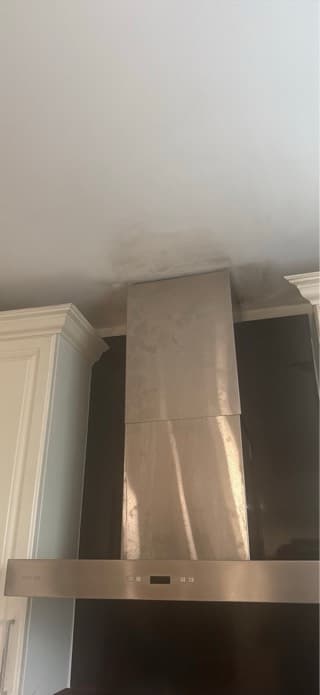
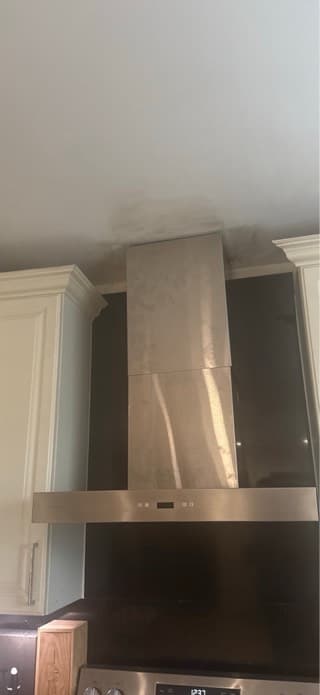
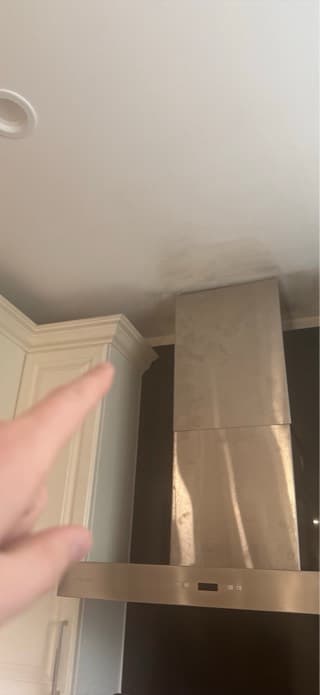
Mold observed near the range hood vent. Water damage traced to a leak at the soffit, which dripped onto the floor tile below.
06/26/2025 1:57 PM
Staining along the ceiling line
06/26/2025 1:57 PM
06/26/2025 1:57 PM
Mold spotted near the vent
06/26/2025 1:57 PM
- Branded cover page
- Room-by-room sections
- Numbered, timestamped photos
- One-tap PDF export
How AI inspections work
Talk through the inspection and leave with the report
Start in the app
Open the property in the Drodat app for iPhone or Android and start an inspection.
Talk and shoot
Walk the property, take photos, and narrate. The transcript appears as you speak.
Review the rooms
Drodat splits the inspection by room. Move photos, rename rooms, and edit any line.
Share the report
The report is on the web and mobile for anyone with access to the property.
What an inspection includes
- Where
- Created in the Drodat mobile app, viewed and edited on web and mobile
- Transcription
- Real-time speech to text, tuned for property and claims terms
- Rooms
- Split automatically from your narration
- Photos
- Filed under the room they were taken in
- Editing
- Transcripts, rooms, photos, and notes are all editable
- Notes
- Room notes summarized by Dex and saved to the property’s Notes feed
Notes that file themselves
Each room’s note is saved to the property, next to the rest of the team’s notes.
See smart notesPhotos in the property drive
Inspection photos are stored with the property, ready to share.
See cloud storageBuild the claim with Dex
Dex links your photos to the damage and the policy.
See Dex
Frequently asked questions
Our system uses advanced speech-to-text technology. When you start an inspection, the app actively listens. It's optimized to understand industry-specific terminology and accents. As you speak, it transcribes in real-time and uses your narrative to automatically segment the inspection by room.
Yes, absolutely. The initial AI-generated report is a starting point. You have full control to edit transcriptions, move photos to different rooms, add or delete rooms, and refine the AI-summarized notes to ensure perfect accuracy.
Inspections are created on the mobile app to leverage your phone's camera and microphone in the field. However, once an inspection is complete, it is instantly synced and available for viewing, editing, and sharing on both the web and mobile apps for anyone with access to the property.
Within each room of an inspection report, you'll see the raw voice transcription. With a single click, you can ask Dex to analyze that text. Dex condenses your conversational speech into a structured, professional note that is clear, concise, and ready for inclusion in formal reports.
Once you finalize the AI-summarized notes for each room, they are saved to both the inspection report itself and the central 'Notes' feed for that specific property. This ensures all critical information is documented and easily accessible from anywhere in the Drodat platform.
From the Drodat Journal
Keep reading
Ready to transform your workflow?
Join the hundreds of firms that run their claims on Drodat, from the first lead to the final payment. Start with a 14-day free trial and a team onboarding call.